How to Create a Topical Map for SEO: Step-by-Step Guide
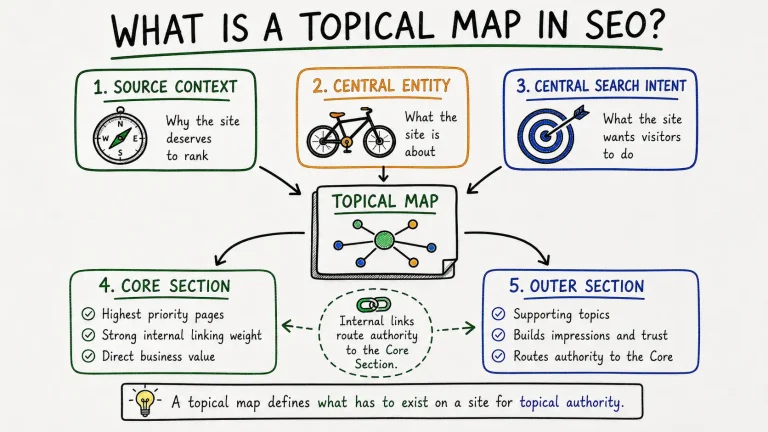
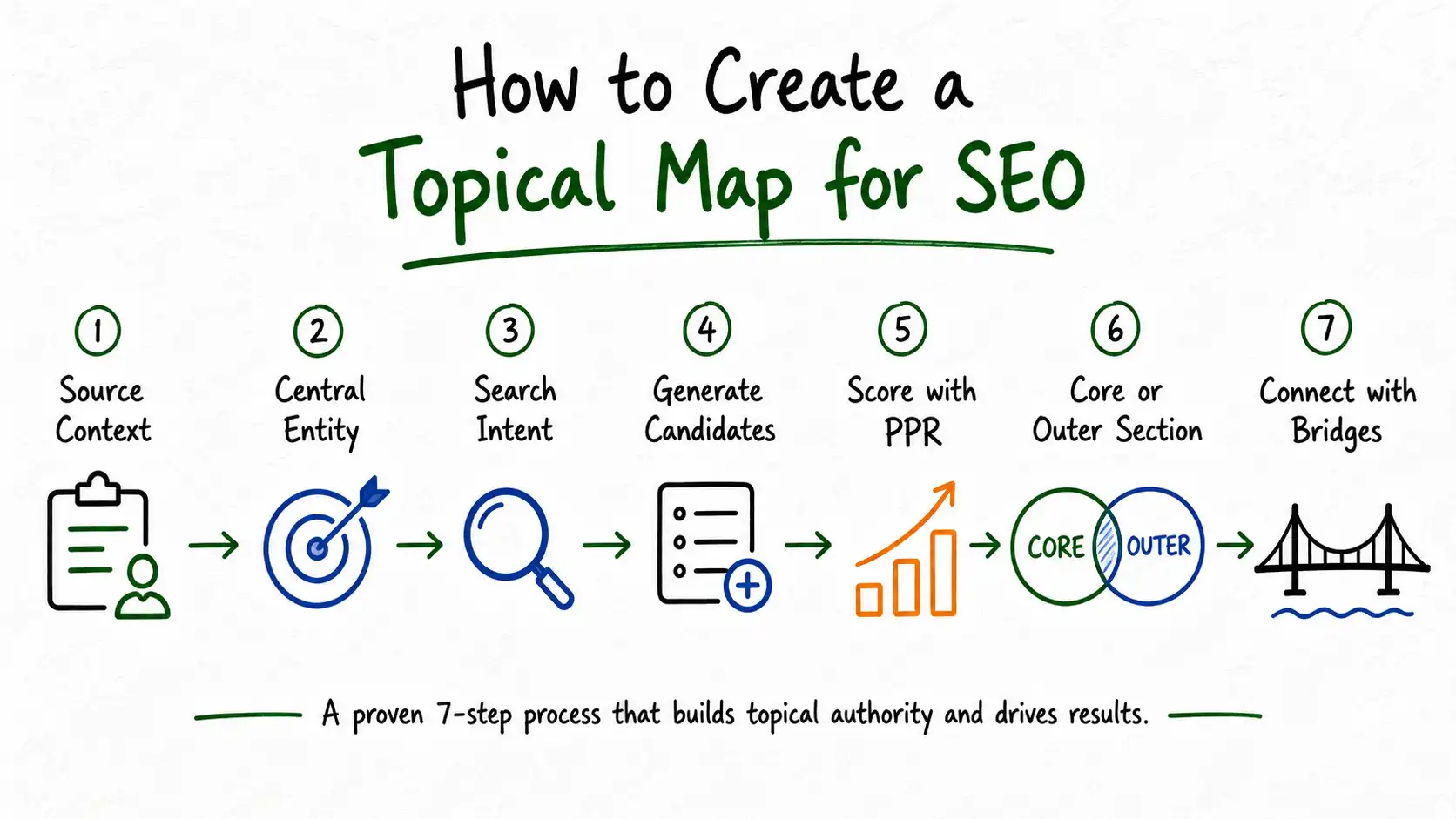
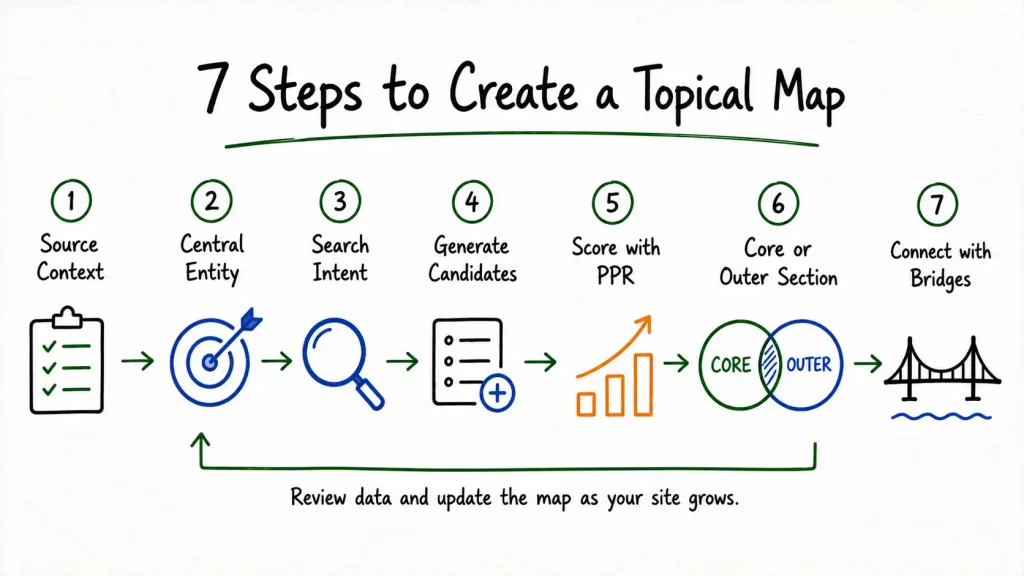
Creating a topical map means completing 7 sequential steps, defining Source Context, Central Entity, and Central Search Intent, generating candidate topics, scoring every topic with the PPR method, and placing each one into the Core Section or Outer Section, connected through bridges. This is the same process applied on every topical map built at TopicalMap.Services.
The Koray Framework Process vs. Generic Keyword Clustering
Most guides to creating a topical map describe a version of the same 4 steps: pick a topic, research subtopics with a keyword tool, group the results into clusters, build pillar and supporting pages. This produces a document that looks organized. It does not produce a topical map, because nothing in that process tests whether a topic actually belongs on the site.
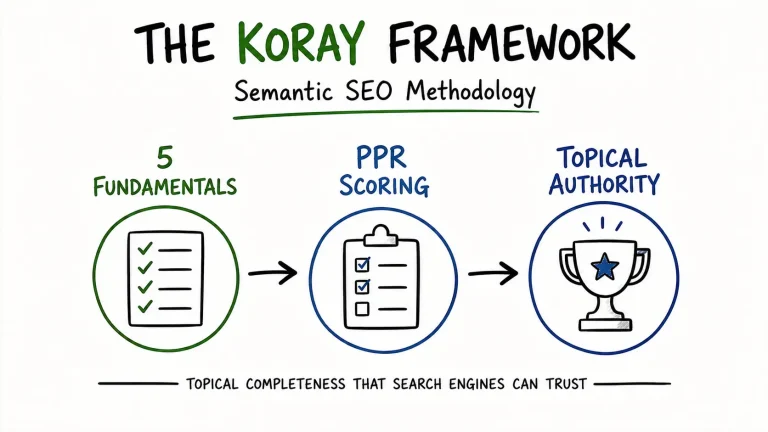
The Koray Framework process is different in one fundamental way: every candidate topic gets tested against Source Context and scored before it earns a place on the map. Keyword research still happens, it’s one input among several, but it never drives the decision on its own. The 7 steps below show exactly how that testing works, in the order it has to happen.
Step 1 — Define Source Context
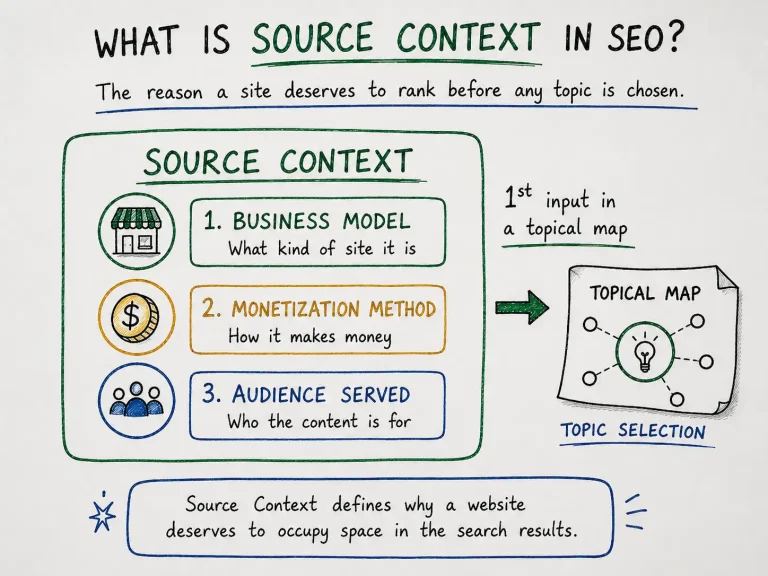
Source Context is the first step because it’s the standard every later decision gets tested against, the business model, monetization method, and audience a site serves. Write one clear statement covering all 3 before moving to Step 2.
For a business selling electric bikes direct to consumers, Source Context reads: an e-commerce business monetizing through direct product sales and affiliate commissions on accessories, serving consumers deciding between bike models.
Read the full breakdown of Source Context on our blog.
Step 2 — Define Central Entity
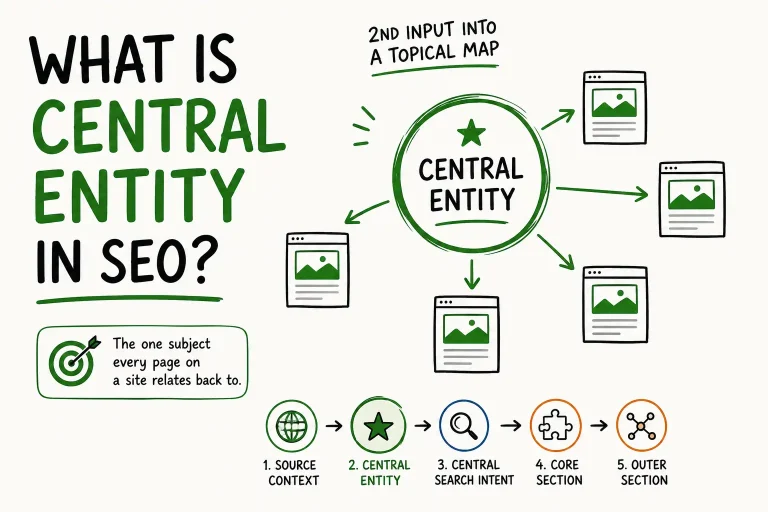
Central Entity is the single subject every page on the site will relate back to, chosen deliberately before any topic gets generated. For the electric bike retailer, the Central Entity is electric bikes, one subject, every page connects to it through a defined attribute.
Read the full breakdown of Central Entity on our blog.
Step 3 — Define Central Search Intent
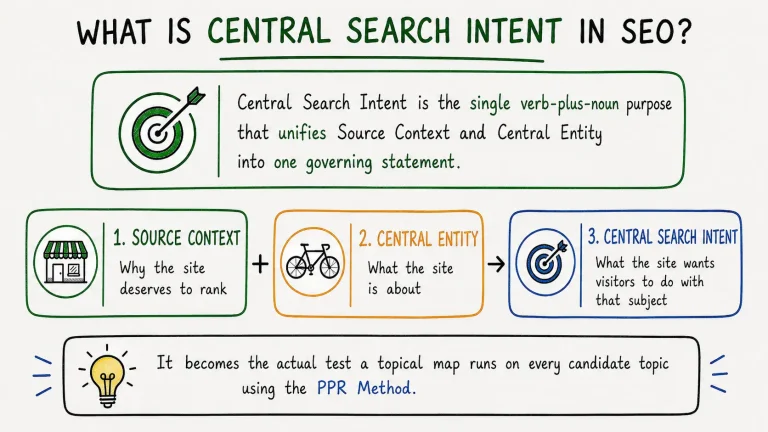
Central Search Intent unifies Source Context and Central Entity into one governing statement, the single verb-plus-noun purpose every candidate topic gets tested against. For the electric bike retailer, combining an e-commerce Source Context with an electric bikes Central Entity produces the Central Search Intent: buy electric bikes.
Check the obvious phrasing against the site’s real scope before locking it in. A narrow reading, “buy electric bikes” alone, can miss supporting intent that still serves the same business, comparison research, maintenance questions, legal requirements, all of which belong on the map even though they don’t describe the transaction directly.
Read the full breakdown of Central Search Intent on our blog.
Step 4 — Generate Candidate Topics
Candidate topic generation produces the raw list every subsequent step filters, drawn from 3 sources: attribute mapping, competitor gap analysis, and query fan-out. None of these sources decides what makes the final map. That decision happens in Step 5. This step only builds the list of contenders.
Attribute Mapping
Attribute mapping lists every attribute connected to the Central Entity, for electric bikes: battery range, motor power, frame type, weight, price tier, charging time, legal classification, maintenance requirements. Each attribute becomes a seed for multiple candidate topics.
Competitor Gap Analysis
Competitor gap analysis identifies topics ranking competitors cover that the site doesn’t yet, and topics no competitor covers well, both are candidates worth testing.
Query Fan-Out
Query fan-out expands each attribute into the actual phrasings people search, “electric bike battery range” fans out into range by brand, range in cold weather, range with cargo load, each a separate candidate.
This step typically generates far more candidates than will survive scoring. That’s expected, over-generating at this stage costs nothing, since Step 5 filters out anything that doesn’t belong.
Step 5 — Score Every Candidate Topic with PPR
Every candidate topic gets scored on Prominence, Relevance, and Popularity, then combined using the PPR formula, before it earns a place on the map. Topics scoring above the inclusion threshold move to Step 6. Topics scoring below it get cut, regardless of how much search volume they carry.
PPR Score = (Prominence × 0.40) + (Relevance × 0.40) + (Popularity × 0.20)
From the candidate list generated in Step 4, “electric bike battery range comparison” scores high on all 3 factors, Prominence 8, Relevance 9, Popularity 7, producing a PPR score of 8.2. A candidate like “electric bike vs regular bike calorie burn” might score well on Popularity alone, Popularity 9, but Relevance 3, producing a PPR score of 3.8, below the threshold, cut from the map.
Read the full PPR scoring breakdown on our blog.
Step 6 — Place Topics into Core Section or Outer Section
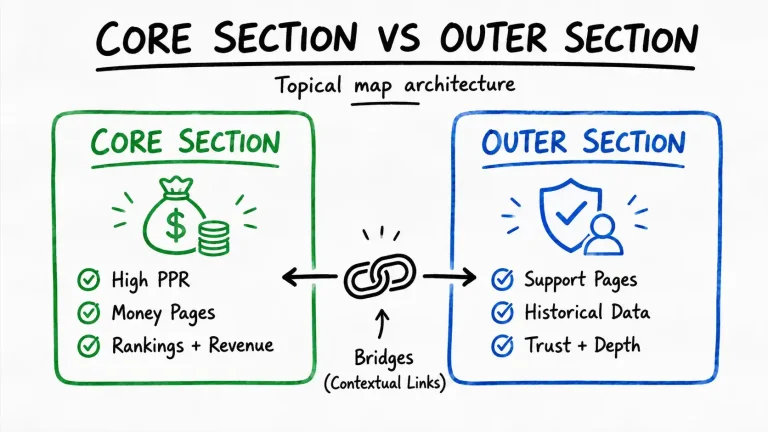
Every topic that clears the PPR threshold gets placed into either the Core Section or the Outer Section, based on how high it scored, not on a predetermined split. Topics with the highest Prominence and Relevance scores, close to the site’s monetization and buying decisions, go into the Core Section. Topics with moderate scores that support the Central Entity without driving revenue directly go into the Outer Section.
For the electric bike retailer, “electric bike battery range comparison” (PPR 8.2) goes into the Core Section, it sits close to a purchase decision and carries strong Prominence. “How to charge an electric bike battery” (PPR 6.0) goes into the Outer Section, it supports the Central Entity and builds historical data without converting directly.
Step 7 — Connect Sections with Bridges
Bridges are internal links placed between Outer Section pages and the specific Core Section pages their topics genuinely relate to, not generic sitewide links added for the sake of having them. This step turns 2 separately scored lists into one connected structure.
The battery charging guide from Step 6 links to the battery range comparison page, because charging and range are genuinely related attributes of the same Central Entity. It does not link to an unrelated Core Section page, like the commuting bikes comparison, just because that page happens to be the highest-priority page on the site. Every bridge should be justifiable on its own: does this Outer topic’s subject actually connect to this Core topic’s subject.
A Complete Worked Example: Building a Topical Map From Scratch
This section applies all 7 steps in sequence to one business, an electric bike retailer, showing exactly how a raw list of candidate topics becomes a finished, scored topical map. No competitor guide reviewed for this article shows a complete sequence with real scores, most stop at “research subtopics” and leave scoring to intuition.
The Business
An online retailer selling electric bikes direct to consumers, monetizing through product sales and affiliate commissions on accessories, serving consumers deciding between bike models.
Steps 1 to 3: The 3 Governing Inputs
Source Context: E-commerce business, direct product sales plus affiliate commissions, serving purchase-decision consumers.
Central Entity: Electric bikes.
Central Search Intent: Buy electric bikes.
These 3 inputs get locked in before a single topic gets generated. Every scoring decision in the steps below tests against them.
Step 4: Candidate Topics Generated
Attribute mapping, competitor gap analysis, and query fan-out together produce 5 candidates for this walkthrough:
- Best Electric Bikes for Commuting
- Electric Bike Battery Range Comparison
- How to Charge an Electric Bike Battery
- Electric Bike Laws by State
- Electric Bike vs Regular Bike: Calories Burned
Step 5: PPR Scoring Applied
| Topic | Prominence | Relevance | Popularity | PPR Score |
|---|---|---|---|---|
| Best Electric Bikes for Commuting | 9 | 10 | 8 | 9.2 |
| Electric Bike Battery Range Comparison | 8 | 9 | 7 | 8.2 |
| How to Charge an Electric Bike Battery | 5 | 7 | 6 | 6.0 |
| Electric Bike Laws by State | 4 | 6 | 5 | 5.0 |
| Electric Bike vs Regular Bike: Calories Burned | 2 | 3 | 9 | 3.8 |
The fifth candidate scores highest on Popularity, 9, but its Relevance score of 3 pulls its PPR score to 3.8, below the inclusion threshold. It gets cut here, before it ever reaches Step 6.
Step 6: Section Placement
Core Section: Best Electric Bikes for Commuting (9.2), Electric Bike Battery Range Comparison (8.2). Both cleared the threshold with strong Prominence and Relevance, both sit close to the buy electric bikes Central Search Intent.
Outer Section: How to Charge an Electric Bike Battery (6.0), Electric Bike Laws by State (5.0). Both cleared the threshold with moderate scores, both support the Central Entity without driving direct revenue.
Rejected: Electric Bike vs Regular Bike: Calories Burned (3.8). Cut for insufficient Relevance despite strong Popularity.
Step 7: Bridges Connected
The battery charging guide (Outer) links to the battery range comparison page (Core), the topics are directly related attributes of the same Central Entity. The state laws guide (Outer) links to the commuting bikes comparison (Core), a rider researching legal requirements is a plausible buyer for a commuter model.
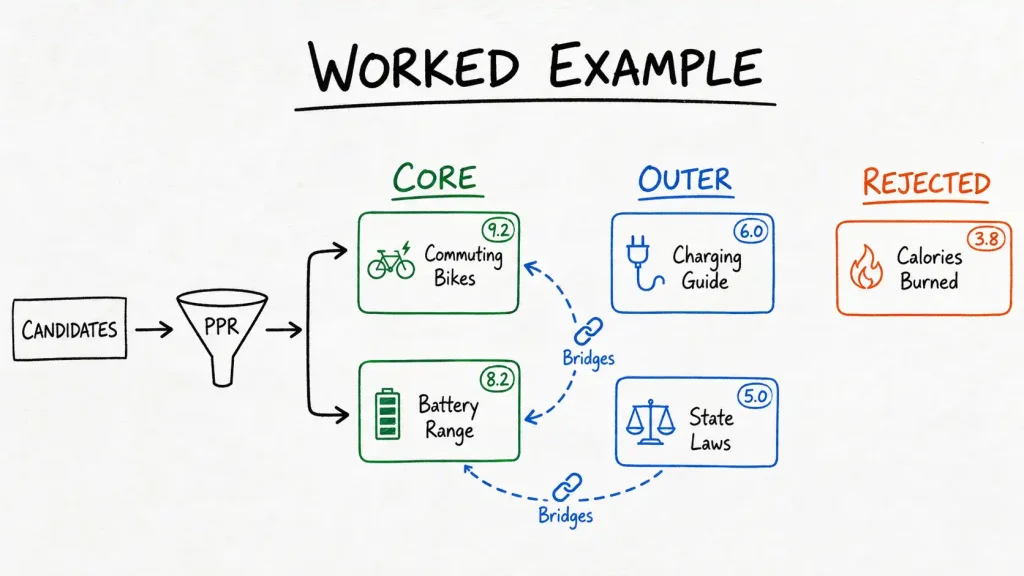
This same sequence, 3 governing inputs, candidate generation, PPR scoring, section placement, bridge connection, applies regardless of business type or size. Only the specific topics and scores change.
How Long Does This Actually Take?
A manually built topical map with PPR scoring takes 5 to 10 business days for a small site, 30 to 60 topics, and longer in proportion to topic count for larger sites. This range comes from actual delivery timelines, not a marketing estimate, and it holds regardless of which tools speed up individual steps.
The time doesn’t distribute evenly across the 7 steps. Defining Source Context, Central Entity, and Central Search Intent, Steps 1 through 3, typically takes a few hours, they require judgment, not volume. Candidate generation and PPR scoring, Steps 4 and 5, take the most time, because every candidate needs research and 3 separate scores before a placement decision gets made. Section placement and bridge connection, Steps 6 and 7, move quickly once scoring is complete, the scores themselves determine most of the placement decisions.
Tools can shorten candidate generation, keyword research platforms and AI-assisted brainstorming both help build the raw list in Step 4 faster. No tool reliably replaces the judgment PPR scoring in Step 5 requires, testing Relevance against a specific Source Context isn’t something a keyword volume number can do on its own.
Common Mistakes When Creating a Topical Map
3 mistakes account for most topical maps that fail to build authority: skipping Source Context, scoring on Popularity alone, and building the Outer Section ad hoc.
Skipping Source Context. Starting with Central Entity or a keyword list, without defining Source Context first, removes the standard every later scoring decision needs. This is the single most common mistake in the guides reviewed for this article, most skip straight to “pick your main topic.”
Scoring on Popularity alone. Treating search volume as the deciding factor produces a map that looks like a keyword list with extra formatting. The calorie-comparison topic in the worked example above scored highest on Popularity of all 5 candidates and still got cut, because Relevance, not Popularity, determines whether a topic belongs.
Building the Outer Section ad hoc. Generating Outer Section topics from memory instead of systematically against every attribute connected to the Central Entity produces a section with real gaps, some attributes covered repeatedly, others missing entirely. Read more about this specific problem on our blog.All 3 mistakes share a root cause: skipping the sequence. Each step in this process depends on the one before it, and shortcuts taken early compound by the time scoring happens.
Get a Topical Map Built with This Exact Process
Every step in this guide, Source Context through bridges, gets applied to your site when you order a topical map from TopicalMap.Services. See the full topical map service for pricing, deliverables, and turnaround times.
Get Your Topical MapFrequently Asked Questions
What’s the first step in creating a topical map?
Defining Source Context, the business model, monetization method, and audience a site serves. This has to happen before Central Entity, Central Search Intent, or any candidate topic, because it’s the standard every later scoring decision tests against.
Do I need a keyword research tool to create a topical map?
A keyword tool helps generate candidate topics and provides the Popularity input for PPR scoring, but it can’t perform the scoring itself. Popularity is only 20% of the PPR formula, Prominence and Relevance require judgment against Source Context that a keyword tool has no way to apply.
Can AI create a topical map on its own?
AI tools can speed up candidate generation and keyword research, typically reaching 60 to 80 percent accuracy compared to a manually scored map. They cannot reliably define Source Context or apply PPR scoring with strategic judgment, both require human review before a map is finished.
How many candidate topics should I generate before scoring?
More than you expect to keep. Over-generating candidates in Step 4 costs nothing, since PPR scoring in Step 5 filters out anything that doesn’t clear the threshold. A narrow initial list risks missing topics that would have scored well.
What tool should I use to build a topical map?
A spreadsheet is sufficient for tracking candidates, scores, and section placement. The scoring judgment matters more than the tool, a well-organized spreadsheet with correctly applied PPR scoring outperforms an automated tool with unreviewed clustering.
Should I create a topical map before or after building my website?
Before. A topical map determines what has to exist on a site, building pages first and mapping them afterward reverses the process and typically surfaces gaps that require restructuring existing content.
Can I update a topical map after it’s built?
Yes. Source Context or Central Entity changes, a new product line or market, require revisiting the map, rescoring affected topics and potentially moving some between Core and Outer Sections.
What’s the biggest difference between this process and generic content clustering?
PPR scoring. Content clustering groups related keywords together without testing whether they belong on the site at all. This process tests every candidate against Source Context before it earns a place, rejecting high-volume topics that don’t fit and keeping lower-volume topics that do.